Search this keyword

Showing posts with label Nature. Show all posts

Decoding Nature's ENCODE iPad app - OMG it's full of ePUB

Encode
The release of the ENCODE (ENCyclopedia Of DNA Element) project has generated much discussion (see Fighting about ENCODE and junk). Perhaps perversely, I'm more interested in the way Nature has packaged the information than the debate about how much of our DNA is "junk."

Nature has a website (http://www.nature.com/encode/) that demonstrates the use of "threads" to navigate through a set of papers. Instead of having to read every paper you can pick a topic and Nature has collected a set of extracts on that topic (such as a figure and its caption) from the relevant papers and linked them together as a thread. Here is a video outlining the rationale behind threads.


Threads can be viewed on Nature's web site, and also in the iPad app. The iPad app is elegant, and contains full text for articles from Nature, Genome Research, Genome Biology, BMC Genetics. Despite being from different journals the text and figures from these articles are displayed in the same format in the app. Curious as to how this was done I "disassembled" the iPad app (see Extract and Explore an iOS App in Mac OS X for how to do this. If you've downloaded the app on your iPad and synced the iPad with your Mac, then the apps are in the folder "iTunes/iTunes Media/Mobile Applications" folder inside your "Music" folder. The app contains a file called encode.zip, and inside that folder are the articles and threads, all as ePub files. ePub is the format used by a number of book-reading apps, such as Apple's iBooks. Nature has a lot of experience with ePub, using it in their iPhone and iPad journal apps (see my earlier article on these apps, and my web-based clone for more details).

Photo
ePub has several advantages in this context over, say, PDFs. Because it ePUb is essentially HTML, the text and images can be reflowed, and it is possible to style the content consistently (imagine how much clunkier things would have looked if the app had used PDFs of the articles, each in the different journals' house style). Having the text in ePub also makes creating threads easy, you simply extract the relevant chunks and combine them into a new ePub file.

Threads are an interesting approach, particularly as they cut across the traditional boundaries of individual articles to create a kind of "mash up." Of course, in the ENCODE app these are preselected for you, you can't create your own thread. But you could imagine having an app that would enable you to not just collect the papers relevant to a topic (as we do with bibliographic software), but enable you to extract the relevant chunks and create a personalised mash up across papers from multiple journals, each linked back to the original article (much like Ted Nelson envisioned for the Xanadu project). It will be interesting to see whether thread-like approaches get more widely adopted. Whatever happens, Nature are consistently coming up with innovative approaches to displaying and navigating the scientific literature.
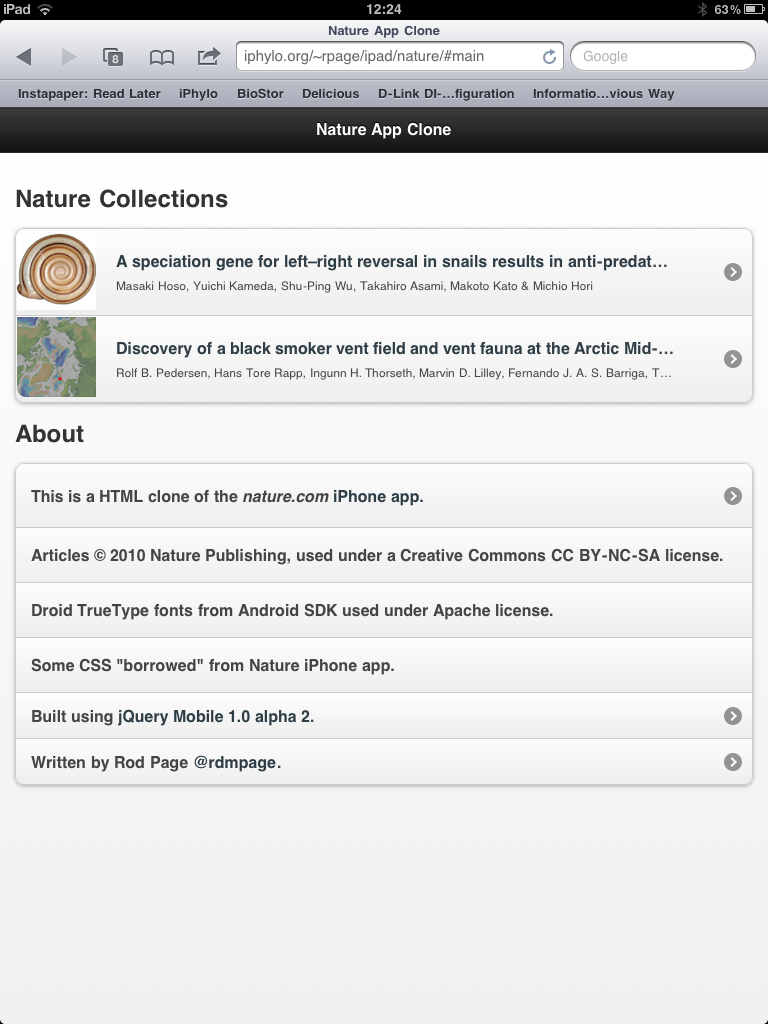
Nature iPhone app clone in GitHub

One thing I'm increasingly conscious of is that I've a lot of demos and toy projects hanging around and the code for most of these isn't readily available. So, I plan to clean these up and put them in GitHub so others can explore the code, and reuse it if they see fit.

First up is the code to create a HTML+Javascript clone of Nature's iPhone app, as described in an earlier post.

photo.PNGphoto.PNG


There's a live version of the clone here here. and the code is now available from GitHub at https://github.com/rdmpage/natureiphone.


Viewing scientific articles on the iPad: cloning the Nature.com iPhone app using jQuery Mobile

Over the last few months I've been exploring different ways to view scientific articles on the iPad, summarised here. I've also made a few prototypes, either from scratch (such as my response to the PLoS iPad app) or using Sencha Touch (see Touching citations on the iPad).

Today, it's time for something a little different. The Sencha Touch framework I used earlier is huge and wasn't easy to get my head around. I was resigning myself to trying to get to grips with it when jQuery Mobile came along. Still in alpha, jQuery Mobile is very simple and elegant, and writing an app is basically a case of writing HTML (with a little Javascript here and there if needed). It has a few rough edges, but it's possible to create something usable very quickly. And, it's actually fun.

So, to learn a it more about how to use it, I decided to see if I could write a "clone" of Nature.com's iPhone app (which I reviewed earlier). Nature's app is in many ways the most interesting iOS app for articles because it doesn't treat the article as a monolithic PDF, but rather it uses the ePub format. As a result, you can view figures, tables, and references separately.

The cloneYou can see the clone here.

photo.PNGphoto.PNG


I've tried to mimic the basic functionality of the Nature.com app in terms of transitions between pages, display of figures, references, etc. In making this clone I've focussed on just the article display.

A web app is going to lack the speed and functionality of a native app, but is probably a lot faster to develop. It also works on a wider range of platforms. jQuery Mobile is committed to supporting a wide range of platforms, so this clone should work on platforms other than the iPad.

The Nature.com app has a lot of additional functionality apart from just displaying articles, such as list the latest articles from Nature.com journals, manage a user's bookmarks, and enable the user to buy subscriptions. Some of this functionality would be pretty easy to add to this clone, for example by consuming RSS feeds to get article lists. With a little effort one could have a simple, Web-based app to browse Nature content across a range of mobile devices.

Technical stuff

Nature's app uses the ePub format, but Nature's web site doesn't provide an option to download articles in ePub format. However, if you use a HTTP debugging proxy (such as Charles Proxy) when using Nature's app you can see the URLs needed to fetch the ePub file.

I grabbed a couple of ePub files for articles in Nature communications and unzipped them (.epub files are zip files). The iPad app is a single HTML file that uses some Ajax calls to populate the different views. One Ajax call takes the index.html that has the article text and replaces the internal and external links with calls to Javascript functions. An article's references, figure captions, and tables are stored in separate XML files, so I have some simple PHP scripts that read the XML and extract the relevant bits. Internal links (such as to figures and references) are handled by jQuery Mobile. External links are displayed within an iFrame.

There are some intellectual property issues to address. Nature isn't an Open Access journal, but some articles in Nature Communications are (under the Commons Attribution-NonCommercial-Share Alike 3.0 Unported License), so I've used two of these as examples. When it displays an article, Nature's app uses Droid fonts for the article heading. These fonts are supplied as an SVG file contained within the ePub file. Droid fonts are available under an Apache License as TrueType fonts as part of the Android SDK. I couldn't find SVG versions of the fonts in the Android SDK, so I use the TrueType fonts (see Jeffrey Zeldman's Web type news: iPhone and iPad now support TrueType font embedding. This is huge.). Oh, and I "borrowed" some of the CSS from the style.css file that comes with each ePub file.

Viewing scientific articles on the iPad: browsing articles

touchevents.pngIn previous articles I've looked at how various apps display scientific articles. The apps I looked at were:
So, where next? As Ian Mulvany noted in a comment on an earlier post, I haven't attempted to summarise the best user interface metaphors for navigation. Rather than try and do that in the abstract, I'd like to create some prototypes to play with various ideas. The Sencha Touch framework looks a good place to start. It's web-based, so things can be prototyped rapidly (I'm not going to learn Objective C anytime soon). There's a moderately steep learning curve, unless you've written a lot of Javascript (I've done some, but not a lot), but it seems to offer a lot of functionality. Another advantage of developing a web app is that it keeps the focus on making the content accessible across devices, and using the web as the means to display and interact with content.

Then there is also the issue (in addition to displaying an individual article) of how to browse and find articles to view. Here are some possibilities.

Publisher's stream
Apps such as the Nature app and the PLos Reader provide you with a stream of articles from a single publisher. This is obviously a bit limiting for the reader, but might have some advantages if the publisher has specifically enhanced their content for devices such as the iPad.

Personal library
Apps such as Mendeley and Papers provide articles from your personal library. These are papers you care about, and one you may make active use of.

Social
Social readers such as Flipboard show the power of bringing together in one place content derived from social streams, such as Twitter and Facebook, as well as curated sources and publisher streams. Mendeley and other social bookmarking services (e.g., CiteULike, Connotea) could be used to provide social similar streams of papers for an article viewer. Here the goal is probably to find out what papers people you know find interesting.

Spatialipadmap.png
In an earlier post I used a map to explore papers in my BioStor archive. This would be an obvious thing to add to an iPad app, especially as the iPad knows where you are. Hence, you could imagine browsing papers about areas that are near you, or perhaps by authors near you. This would be useful if, say, you wanted to know about ecological or health studies of the area you live in. If the geographic search was for people rather than papers, you could easily discovering what kind of research is published by universities or other research bodies that are near your current location.

Of course, Earth is not the only thing we can explore spatially. Google maps can display other bodies in the solar system, (e.g., Mars), as well as the night sky. Imagine being interested in astronomy and being able to browse papers about specific planetary or stellar objects. Likewise, genomes can be browsed using Google maps-inspired browsers (e.g., jBrowse), so we could have an app where you could easily retrieve articles about a particular gene or other region of a genome.

Categories
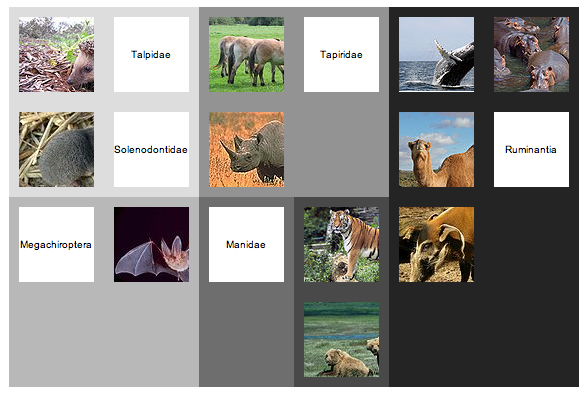
Another way to browse content is by topic. Classifying knowledge into categories is somewhat fraught, but there are some obvious wasy this could be useful. A biologist might want to navigate content by taxonomic group, particularly if they want to browse through the 1000's of articles published in a journal such as Zootaxa (hence my experiments on browsing EOL). Of course, a tree is not the only way to navigate hierarchical content. Treemaps are another example, and I've played with various versions in the past (see here and here).

qt.png

I have a love-hate relationship with treemaps, but some of the most interesting work I've seen on treemaps has been motivated by displaying information on small screens, e.g. "Using treemaps to visualize threaded discussion forums on PDAs" (doi:10.1145/1056808.1056915).

Summary
These notes list some of the more obvious ways to browse a collection of articles. It would be fun to explore these (and other approaches) in parallel with thinking about how to display the actual articles. These two issues are related, in the sense that the more metadata we can extract from the articles (such as keywords, taxonomic names and other named entities, geographic localities, etc.) the richer the possibilities for finding our way through those articles.

Viewing scientific articles on the iPad: towards a universal article reader

There are a growing number of applications for viewing scientific articles coming out for the iPhone and iPad. I'm toying with extending the experiments described in an earlier post when I took the PLoS iPad app to task for being essentially a PDF page-turner, so I thought I should take a more detailed look at the currently available apps. In particular, I'm interested in how the apps solve some basic tasks, and whether there is a consistent "vocabulary" for interacting with an article. Put less pretentiously, do the apps display things such as lists of articles, citations, references, figures, and bibliographic data in similar ways, or does the user have to learn new rules for each app? I'm also interested in how the apps treat the article (e.g., as a monolithic PDF, as a document with pages, or as a web document where pagination has no meaning), and how they get their content (from a publisher, from the user's social network, from the user's personal library).

Nature
In this post I'm going to look at Nature.com's app. Future posts will explore other apps. I'm interested in what people have done so far, and how we could improve the reading experience. Long term I'm interested in whether there's scope for a "universal article reader" that can take diverse formats (including XML, PDF, and page images) and display them in a consistent and useful way. In the diagrams below I'm using touch gesture symbols from Graffletopia (see Touch Gesture Reference Guide).


Contents
Nature's app is limited to articles published by Nature, and displays the available articles as a list with thumbnails of a figure from the article. The app fetches this list using Nature's mobile API. Up until April 30th the fulltext of an article was free, at at present you are limited to getting abstracts. It's interesting that the list of articles isn't retrieved using a RSS feed, I presume because Nature wanted to use some simple authentication to avoid users downloading all their closed-access content for free.

touch1.jpg

Article display
Nature's app, unlike all the others I've seen so far, doesn't use PDFs. Instead it uses ePub. Unlike many ePub book readers (including Apple's own iBooks), the Nature app doesn't render the article as a series of pages, but as one continuous document that you scroll down by dragging (it's essentially a web page). You can't zoom the text, but the text size is fine for reading.

touch2.jpg

Citations
Citations in the body of the article are links. If you tap them the full citation slides in from the right, with a link to the publisher's website. If you tap the link the app opens the website within the app. This can be a little jarring as you move from a customised view of an article to a web page designed for a desktop. In the case of a Nature article, it would be more elegant if the app recognised that the cited reference was a Nature article and rendered it natively in the app. More generally the transition between app and website might be less jarring if journal publishers developed mobile versions of their websites.

touch3.jpg


Figures
The figures aren't displayed directly in the body of the article, but each mention of a figure in the body of the text is a link. Tapping the link causes the figure to slide up from the bottom of the screen. A button in the top right hand corner enables you to toggle between displaying the figure and it's caption (shown as white text on a black background). You can use pinch and spread to zoom in and out of the figure, as well as save it to the photo library on your device.

touch4.jpg


Summary
I've started with the Nature app as I think it's the only one so far to seriously tackle the challenge of displaying an article on a mobile device. Instead of displaying PDFs it repackages the articles in ePub format and the result is much more interactive than a PDF.

I hope to explore other article viewing apps in later posts, but it's worth noting that we should also be looking at other apps for ideas. Personally I really like the Guardian's iPhone app, which I use as my main news reader. It has a nice gallery feature to display thumbnails of images (imagine a gallery of an article's figures), and uses tags effectively.